
AI Provider Manager
Use your own OpenAI, Gemini, Claude, Grok or OpenRouter key in the Odoo AI assistant instead of paid IAP credits.

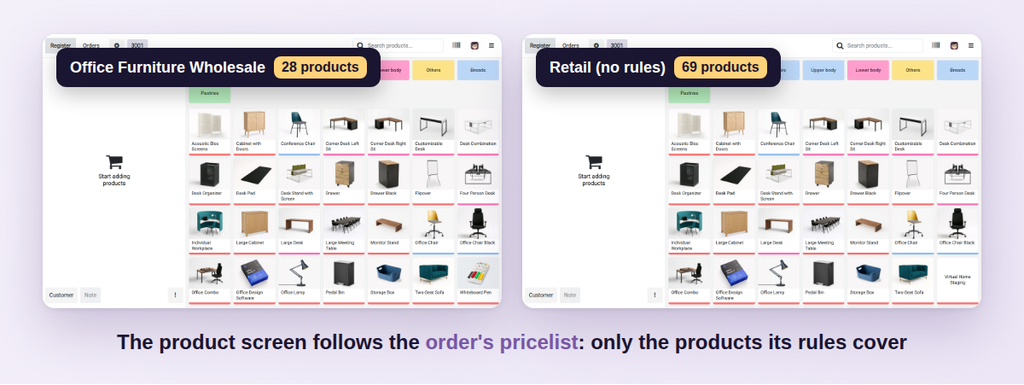
Your Point of Sale shows and sells only the products of the order's pricelist — ideal for wholesale, B2B, staff shops and events.
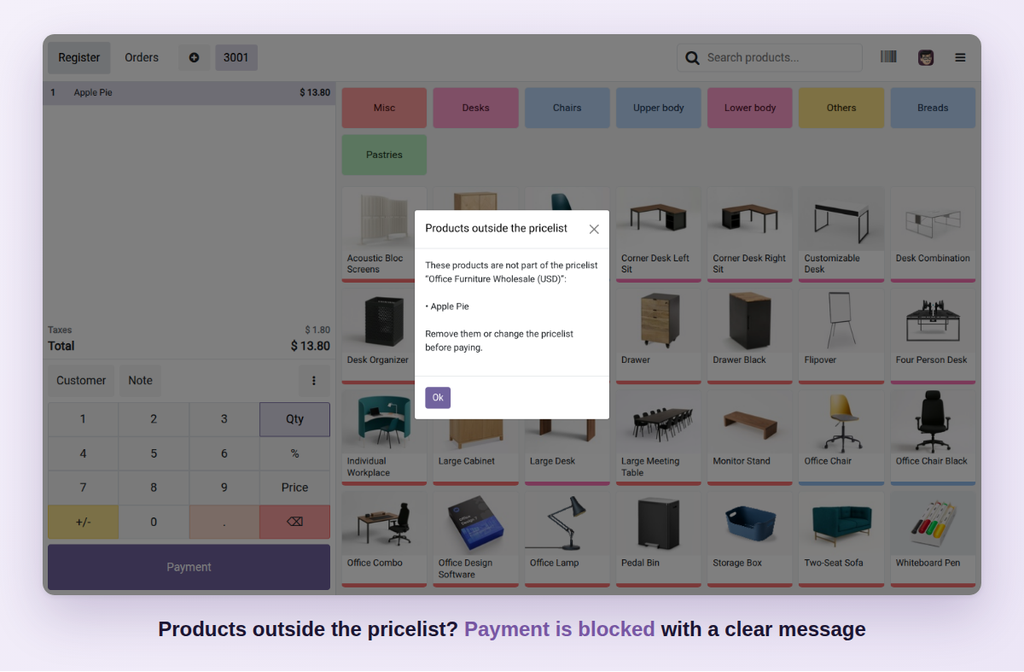
In standard Odoo the Point of Sale shows every product, whatever the pricelist. A cashier on the wholesale pricelist can sell a retail-only item at the wrong price, and has to scroll past products that aren't for this customer.
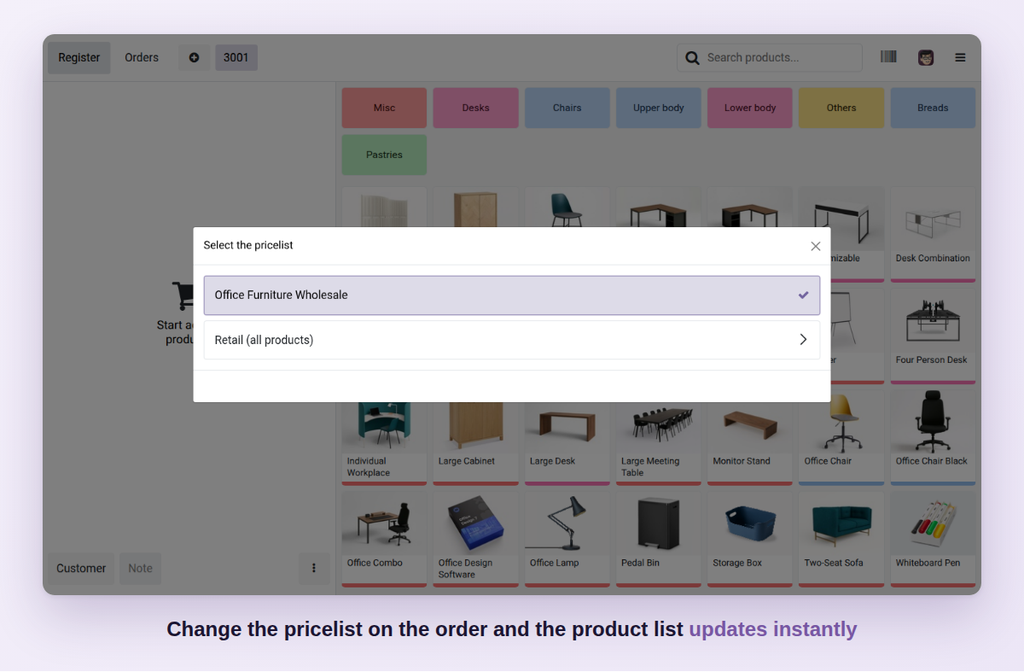
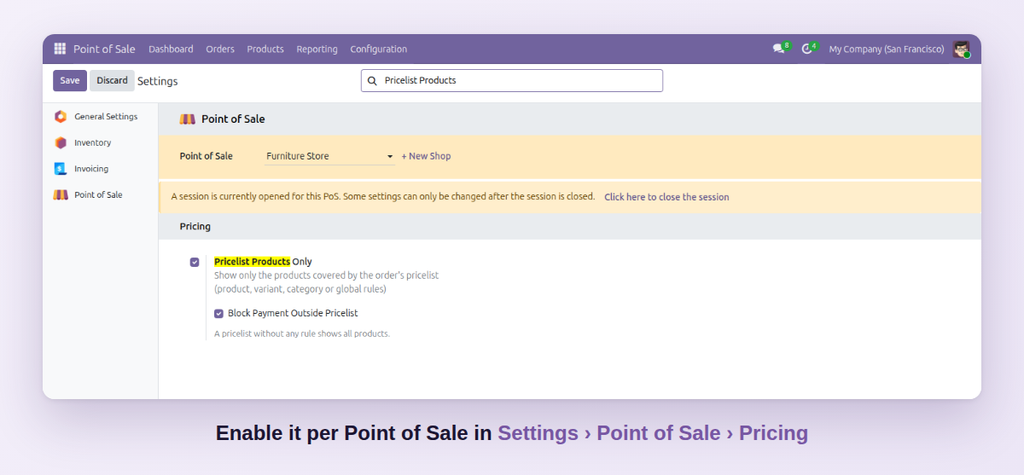
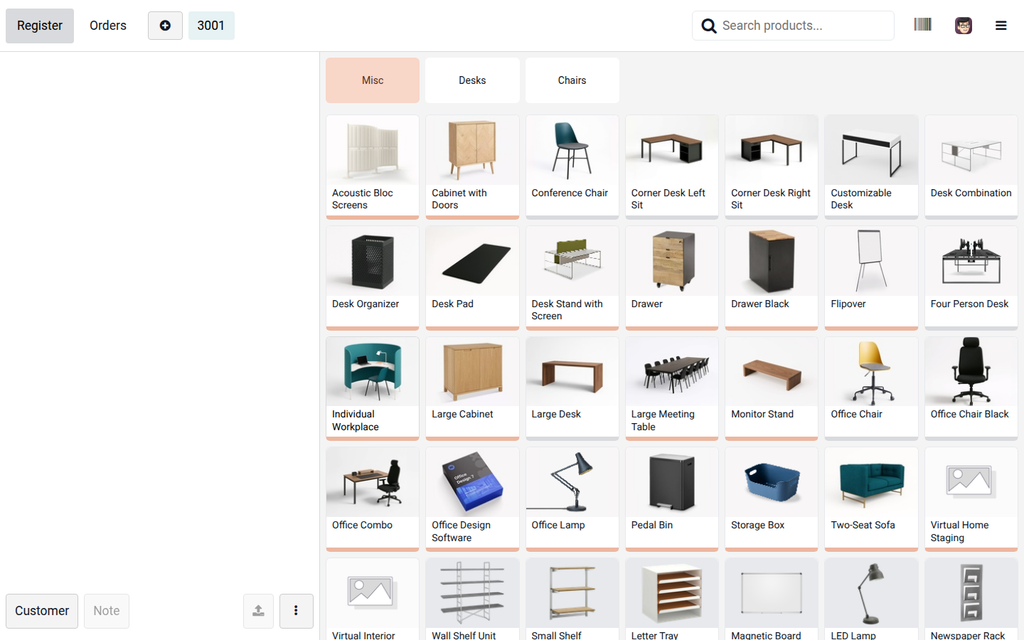
POS Pricelist Products Only shows and sells only the products covered by the order's pricelist. Switch the pricelist or pick a customer with their own pricelist and the product screen updates instantly. Ideal for wholesale counters, B2B price lists, staff shops, events and franchise catalogs.
| Standard Odoo POS | With POS Pricelist Products Only |
|---|---|
| Every product is shown for every pricelist. | Only the products of the order's pricelist are shown. |
| Products without a price rule sell at the default price. | The list follows the pricelist when it changes. |
| Cashiers must remember which products belong to which customer. | Products outside the pricelist can't be paid by mistake. |
| Mistakes are only found after the sale. | One setting per Point of Sale. |
Click Try the live demo, log in with demo / demo, then open the Point of Sale, then switch the order between a wholesale and a retail pricelist and watch the product screen change.
Use your own OpenAI, Gemini, Claude, Grok or OpenRouter key in the Odoo AI assistant instead of paid IAP credits.

Per-user UI lockdown — hide Create, Delete, Export, Print, Duplicate, Archive, Chatter, Filters and force read-only forms.

Side-by-side master-detail layout for any list, kanban or pivot view. One toolbar toggle, no per-model config.