
AI Provider Manager
Use your own OpenAI, Gemini, Claude, Grok or OpenRouter key in the Odoo AI assistant instead of paid IAP credits.

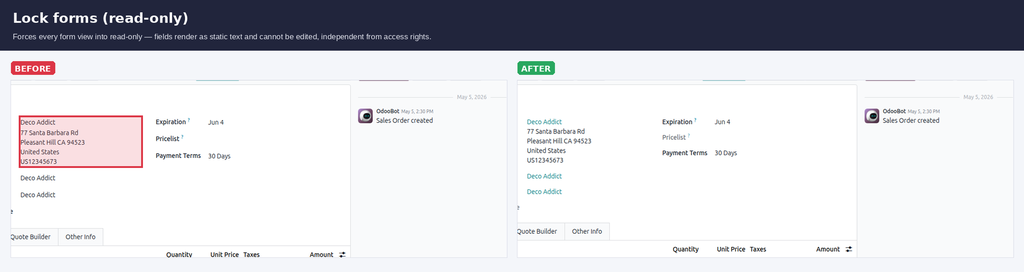
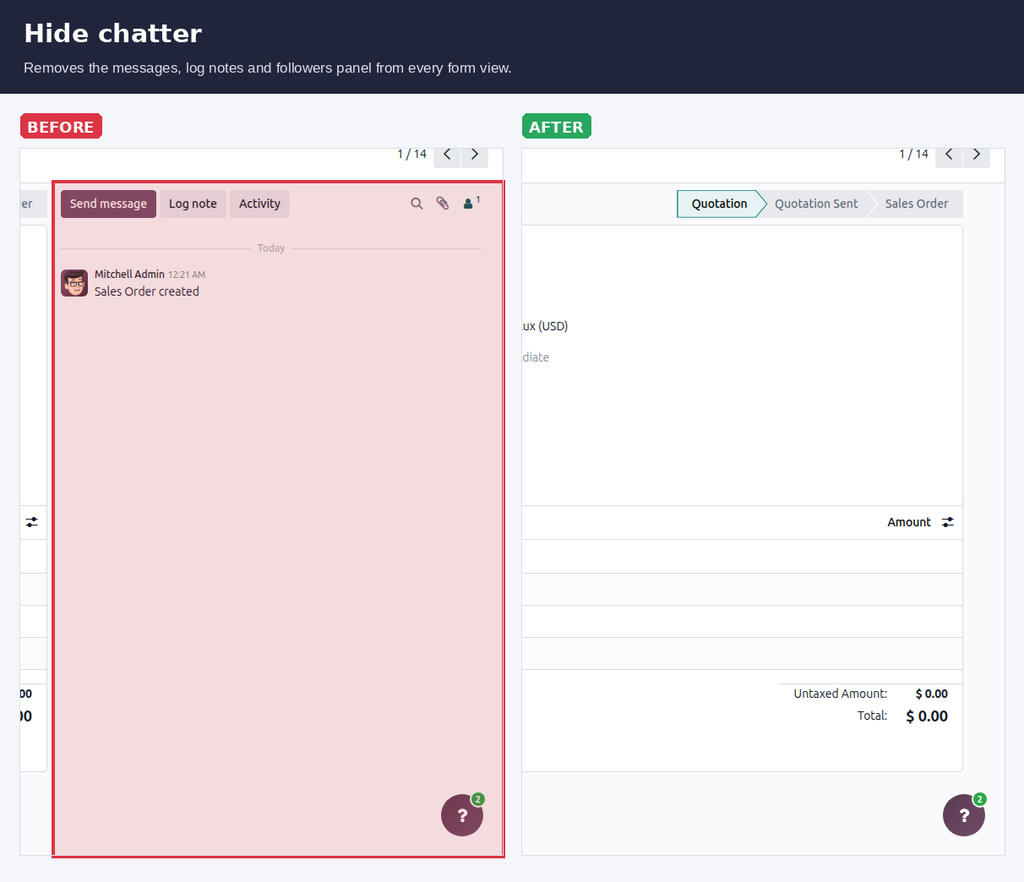
Per-user UI lockdown — hide Create, Delete, Export, Print, Duplicate, Archive, Chatter, Filters and force read-only forms.
Access rights decide what a user may do. They don't hide the buttons. Restricted users still see Create, Delete, Export, Print, the chatter and developer mode — and every click ends in an error, or worse, a data export you didn't want.
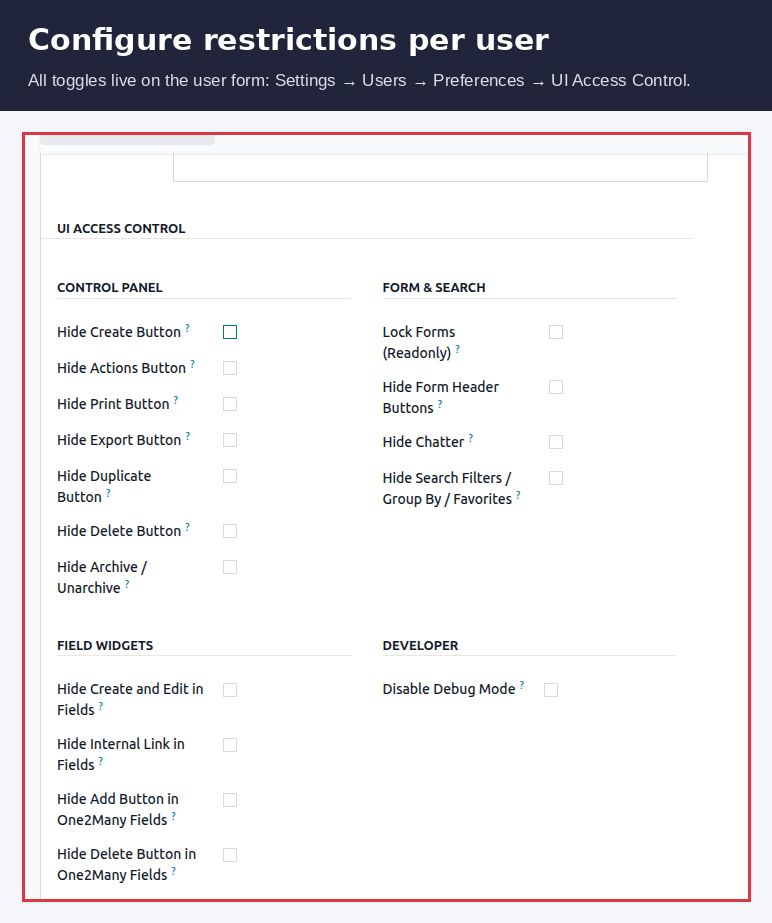
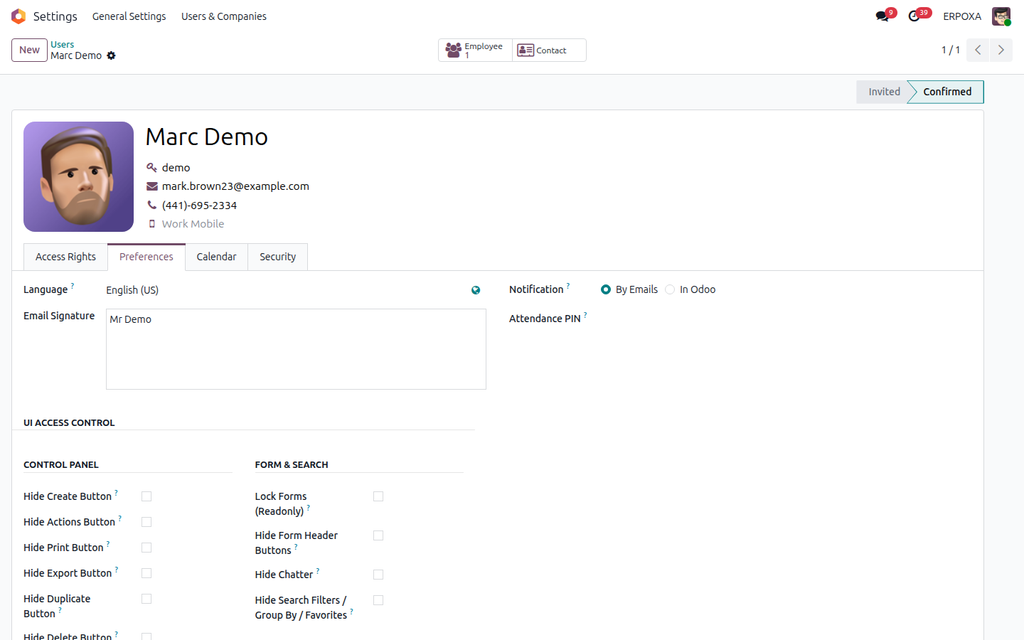
User UI Access Control adds 16 simple checkboxes to the user form. Tick what a user should not see, save, and those buttons and menus disappear for that user. No security groups, no code, no view inheritance.
| Restricting users today | With User UI Access Control |
|---|---|
| Access rights block the action, but the button is still there. | Unwanted buttons and menus are simply not shown. |
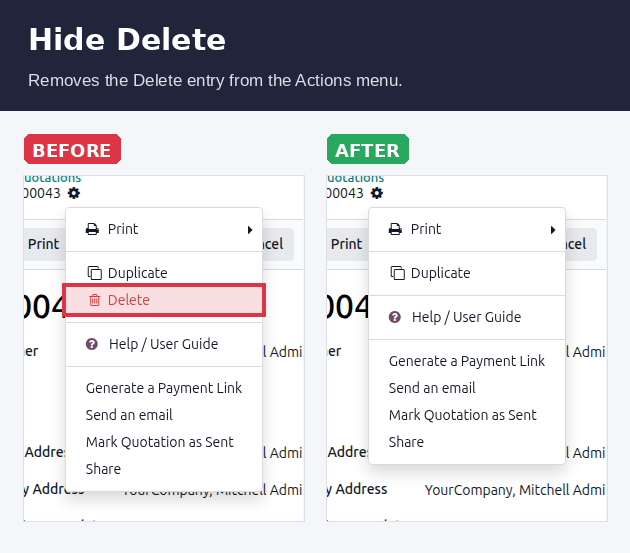
| Users click Delete or Create and hit an access error. | A clean, calm screen made for what the user really does. |
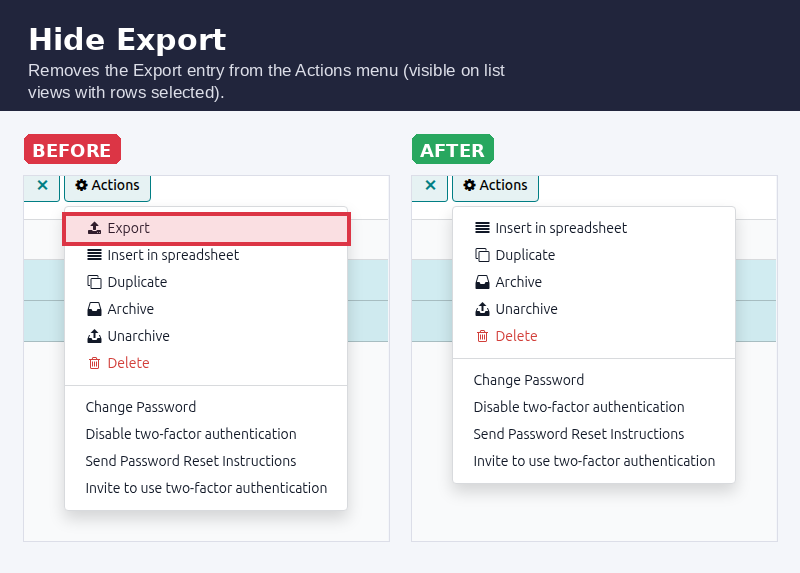
| Export and Print are open to anyone who can read the records. | Export, Print, Duplicate and Delete can be blocked one by one. |
| Hiding buttons means custom view inheritance per model. | Everything is set on the user form — no developer needed. |
| Curious users switch on developer mode and poke around. | Developer mode and the Technical menu can be locked per user. |
Click Try the live demo, log in with demo / demo, then open Settings → Users, pick a user and open the UI Access Control tab. Tick a few options, save, and log in as that user to see the buttons gone.
Use your own OpenAI, Gemini, Claude, Grok or OpenRouter key in the Odoo AI assistant instead of paid IAP credits.

Side-by-side master-detail layout for any list, kanban or pivot view. One toolbar toggle, no per-model config.
AI CV parsing, candidate portal, smart-apply, dynamic application forms and full recruitment dashboard.