
User UI Access Control
Per-user UI lockdown — hide Create, Delete, Export, Print, Duplicate, Archive, Chatter, Filters and force read-only forms.
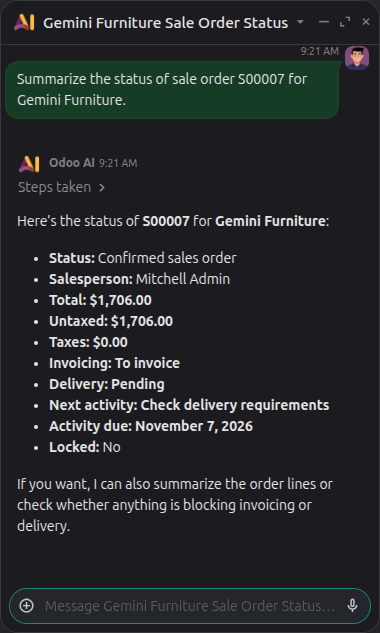
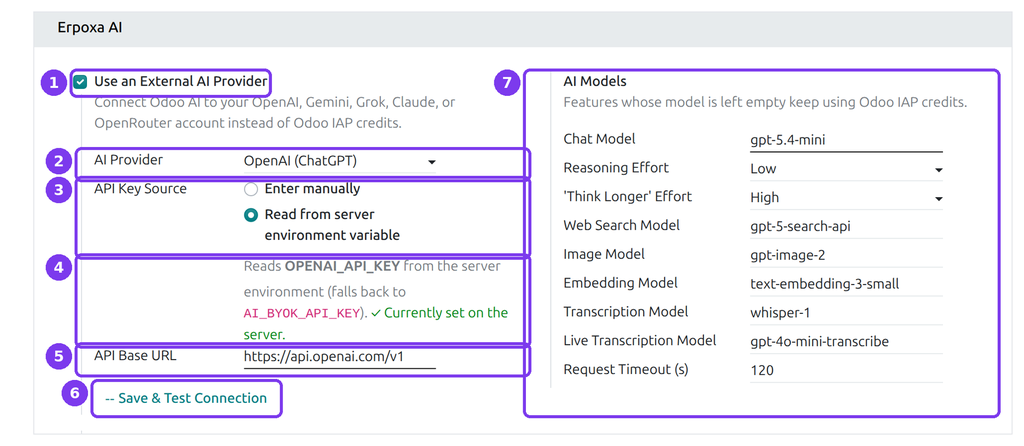
Use your own OpenAI, Gemini, Claude, Grok or OpenRouter key in the Odoo AI assistant instead of paid IAP credits.
The Odoo AI assistant normally runs on IAP credits that you buy from Odoo in advance. Every question to an AI agent, every AI field and every AI server action uses some of them — and when they run out, AI stops working.
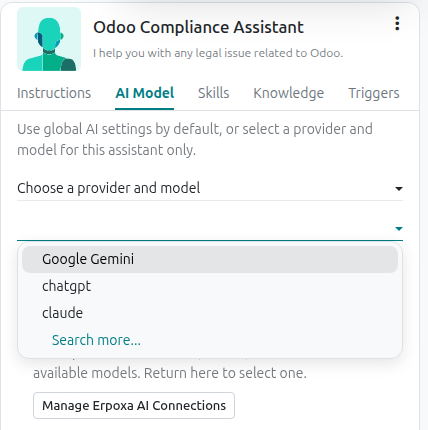
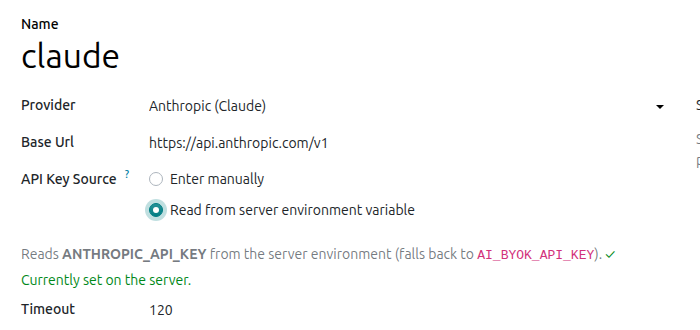
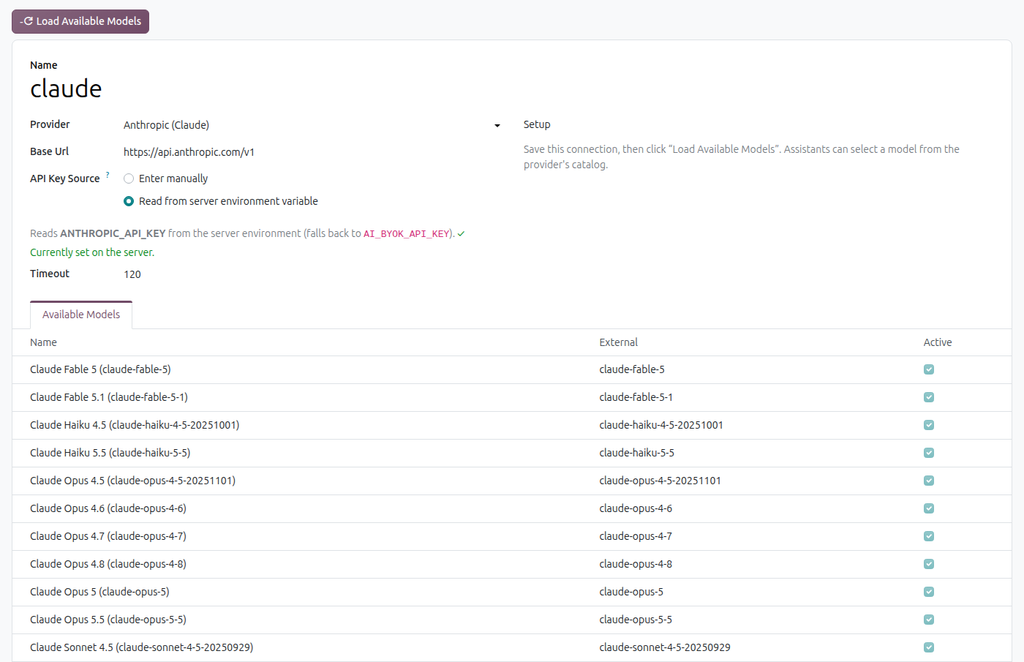
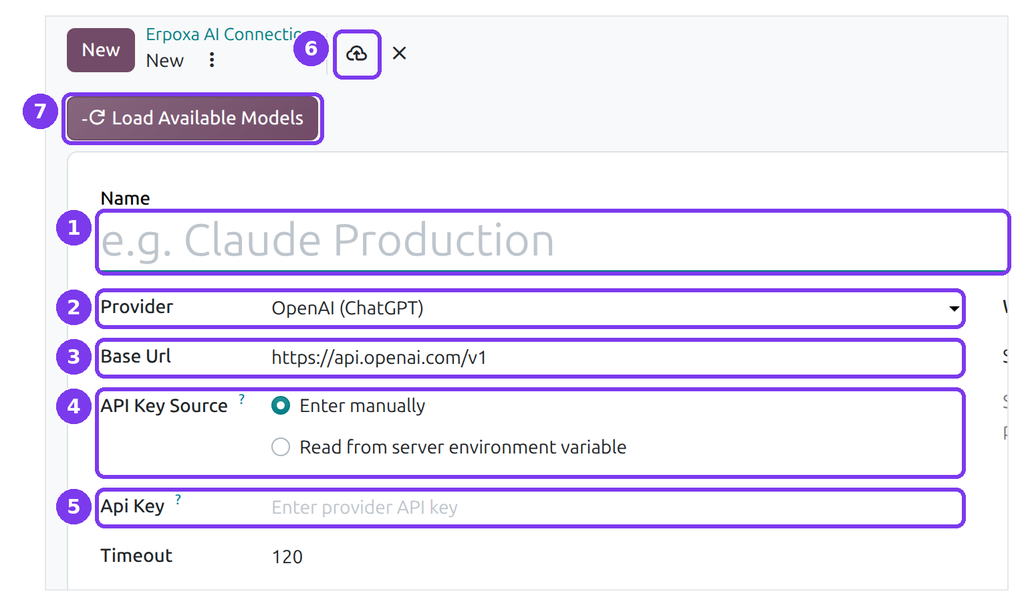
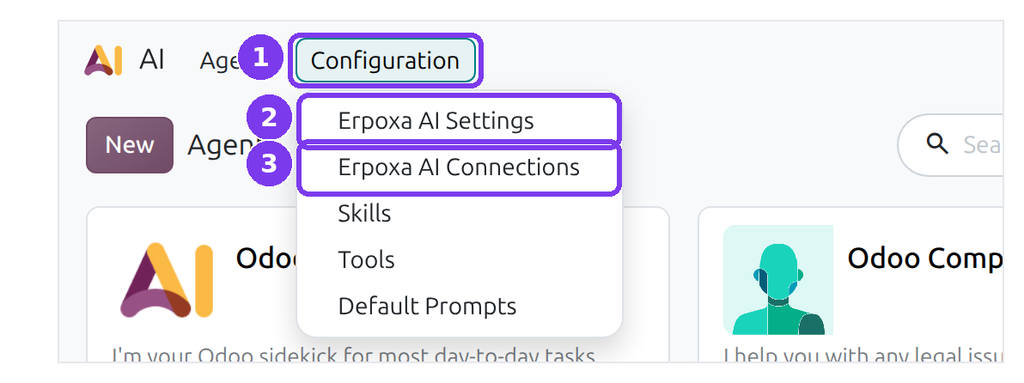
AI Provider Manager connects Odoo AI to your own account at OpenAI (ChatGPT), Google Gemini, Anthropic Claude, xAI Grok, OpenRouter or any OpenAI-compatible API. Odoo sends the requests there, the provider bills you directly at its normal price, and your users keep using the same Odoo AI screens.
| Odoo AI credits (default) | With AI Provider Manager | |
|---|---|---|
| How you pay | Credit packs bought from Odoo in advance | Pay-as-you-go to your provider, at its price |
| When money runs out | AI stops until credits are bought | You control the limits in your provider account |
| Which AI models | Only what Odoo offers | Any model your account can use |
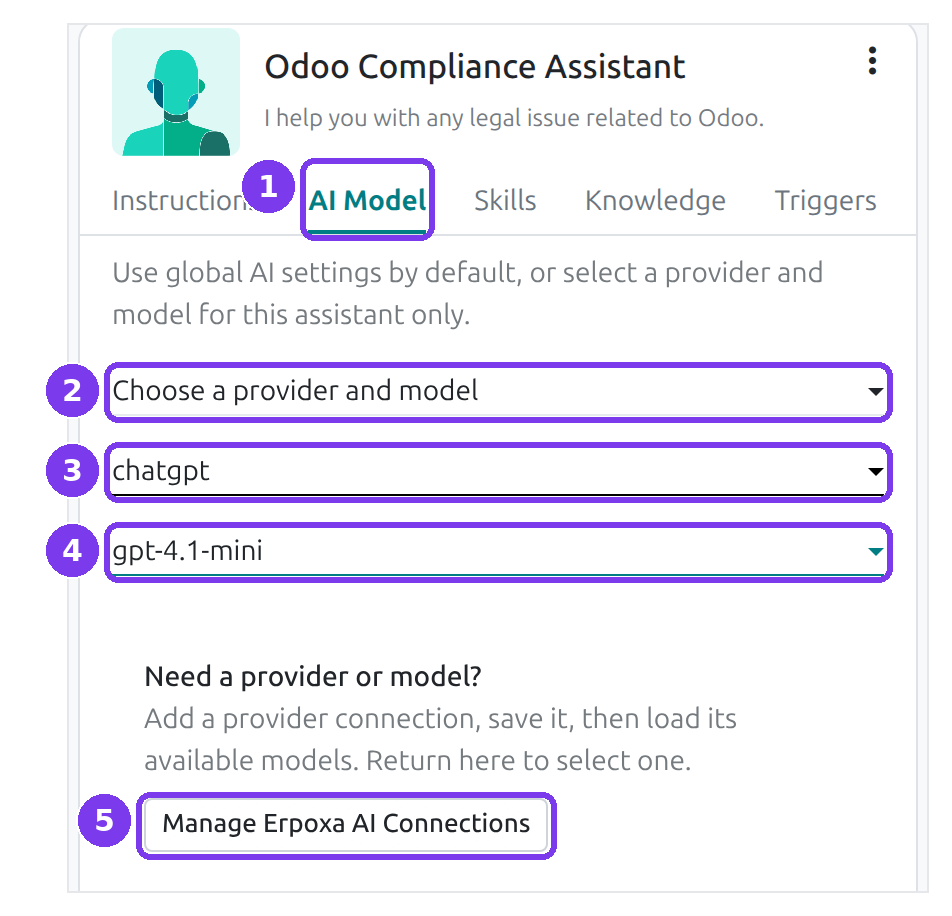
| Different AI per assistant | No | Yes |
| Where the key is kept | — | In Odoo (admins only) or a server environment variable |
demo / demo or admin / admin.Requires Odoo 20 Enterprise (the app builds on Odoo's ai and ai_agentic modules). AI usage is paid to your provider; the app is a one-time purchase.
Per-user UI lockdown — hide Create, Delete, Export, Print, Duplicate, Archive, Chatter, Filters and force read-only forms.
Side-by-side master-detail layout for any list, kanban or pivot view. One toolbar toggle, no per-model config.
AI CV parsing, candidate portal, smart-apply, dynamic application forms and full recruitment dashboard.