
Smart Dashboard
Build KPI dashboards with 26 chart types, cross-filtering, alerts and an AI assistant — no code, on any Odoo data.
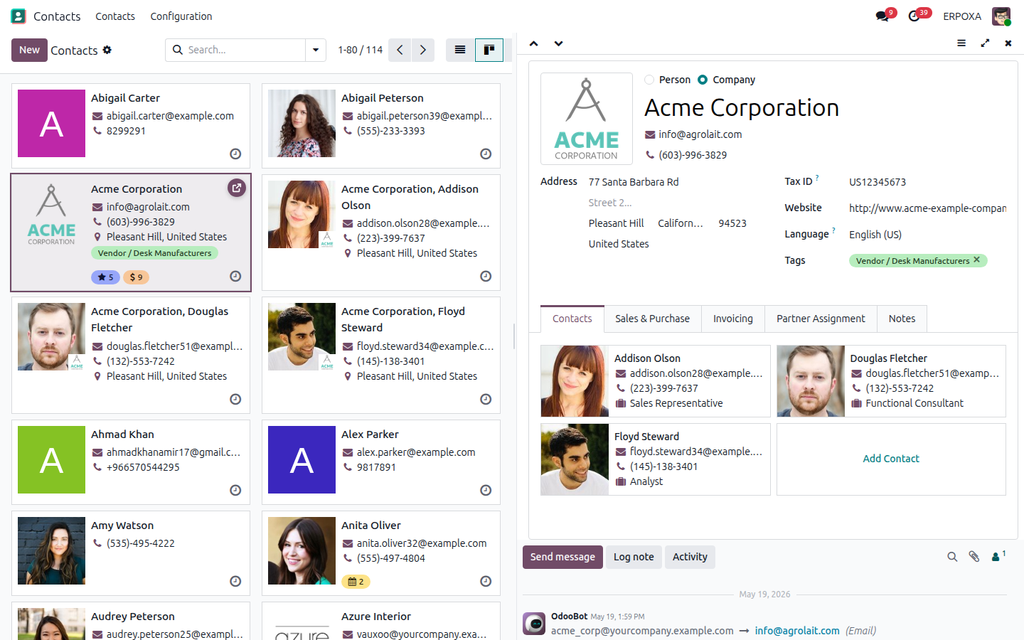
Side-by-side master-detail layout for any list, kanban or pivot view. One toolbar toggle, no per-model config.
In standard Odoo, checking ten records means opening one, reading it, going back to the list, finding your place again, and opening the next. Every time.
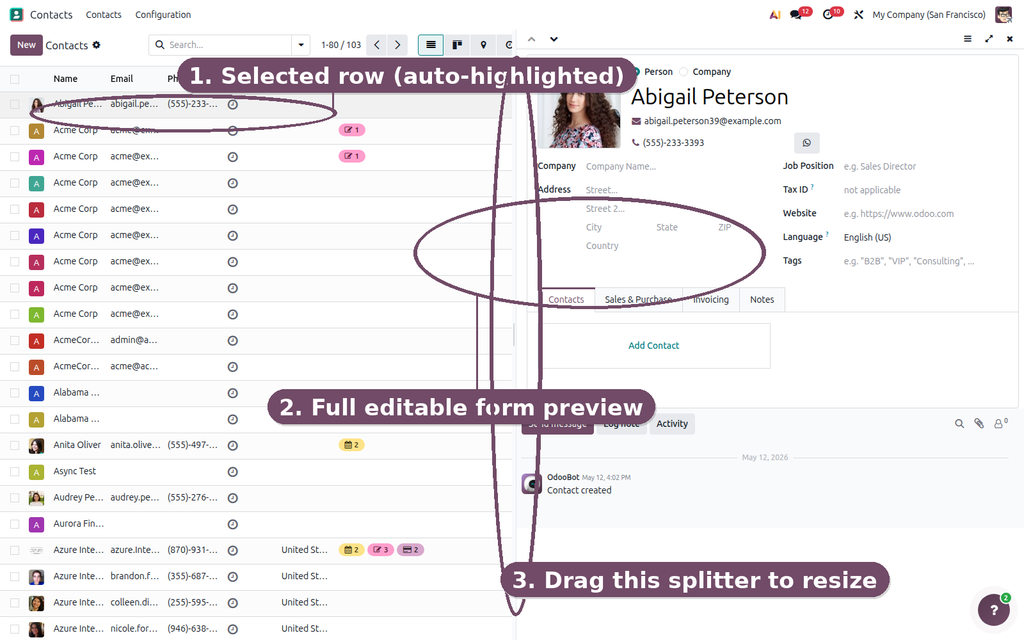
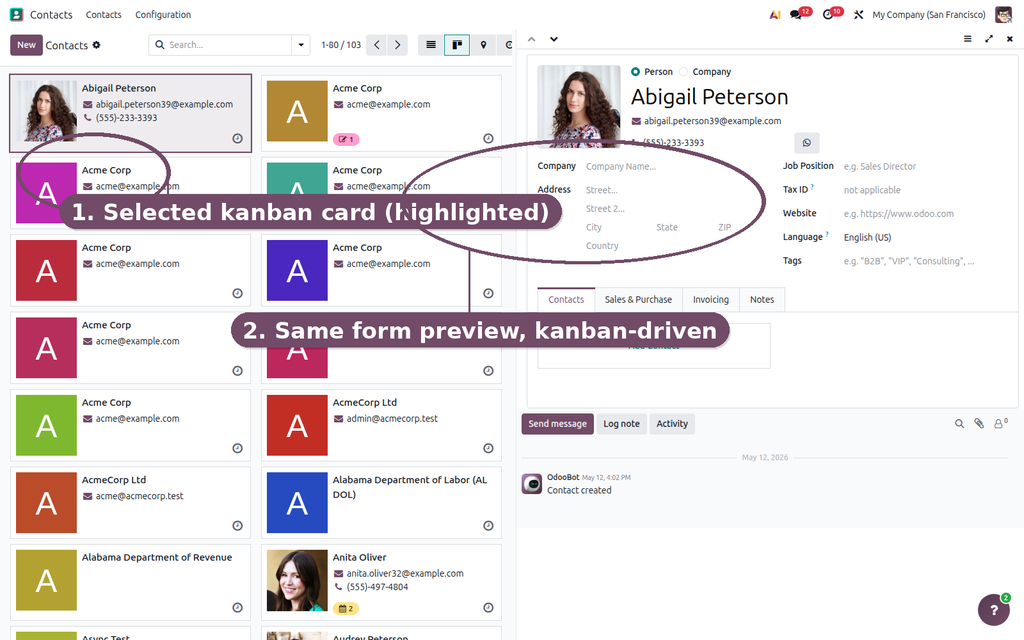
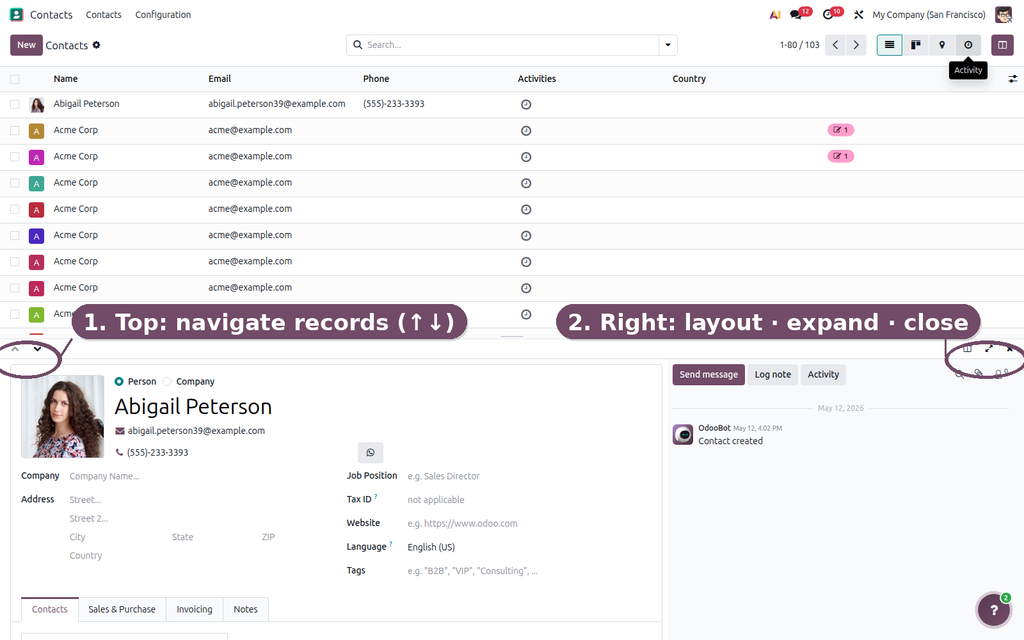
Web Master-Detail View adds one button to every list and kanban view. Click it and the list shrinks to one side while the selected record opens next to it. Click another row and the preview changes instantly — your scroll position, filters and selection stay exactly where they were.
| Browsing records today | With Web Master-Detail View |
|---|---|
| Open a record, read it, go back to the list. | The record opens next to the list in one click. |
| Lose your scroll position in long lists. | The list stays scrolled where you left it. |
| Re-open the next record and repeat for every row. | Click the next row — the preview updates instantly. |
| Comparing two records means two browser tabs. | Previous / next buttons and Alt + arrow keys. |
| Slow for reviews, approvals and data clean-up. | Reviews and clean-up go several times faster. |
Click Try the live demo, log in with demo / demo, then open Contacts or Sales, click the columns icon in the top bar, then click rows and use Alt + ↓ / ↑ to walk through records.


Build KPI dashboards with 26 chart types, cross-filtering, alerts and an AI assistant — no code, on any Odoo data.

A one-click 'New tab' button on every list row and kanban card — a real link you can middle-click, right-click or copy.

Send chatter messages, notes and files on any record that only the people you choose can see.