
Web Master-Detail View
Side-by-side master-detail layout for any list, kanban or pivot view. One toolbar toggle, no per-model config.

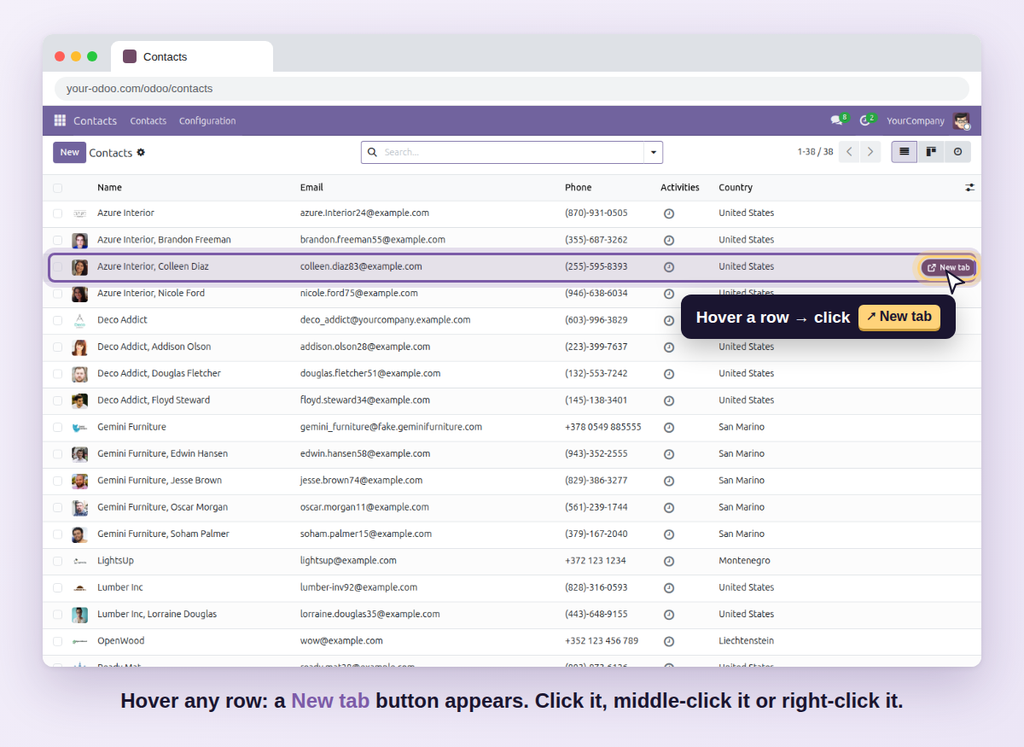
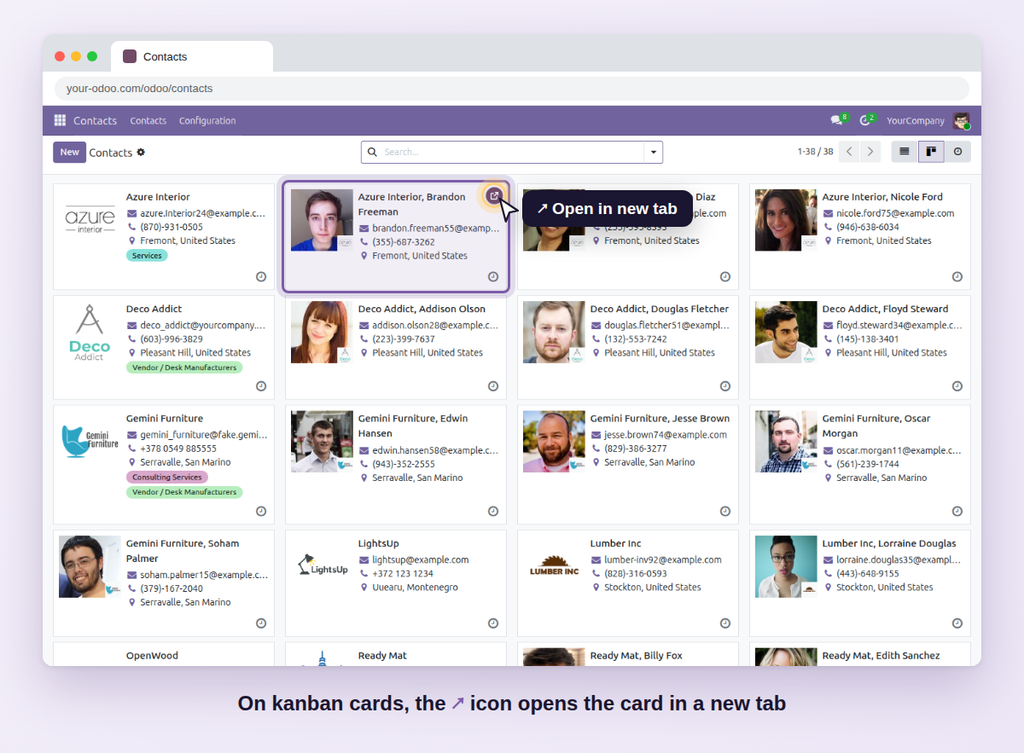
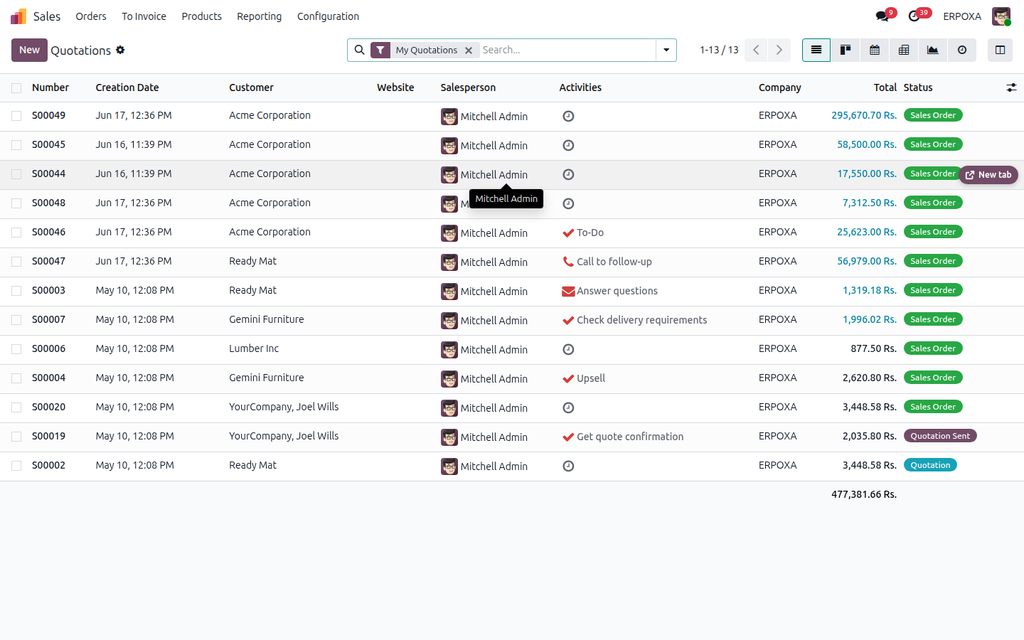
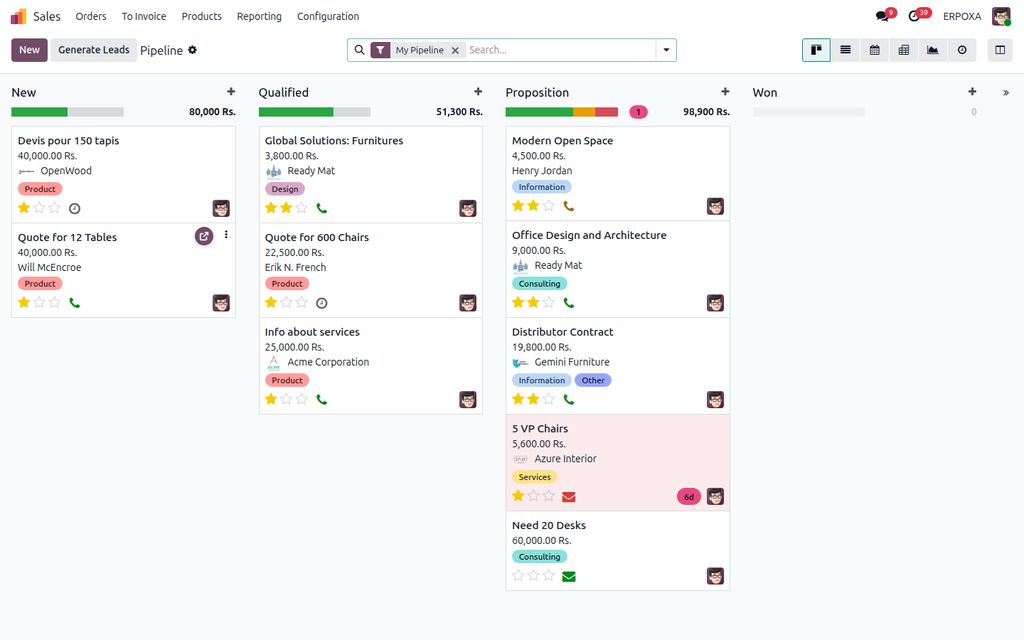
A one-click 'New tab' button on every list row and kanban card — a real link you can middle-click, right-click or copy.
Odoo can open a record in a new tab with a keyboard shortcut, but nothing on screen tells you so. Most users never find it — they click a record, go back, lose their place in a long list, and click the next one.
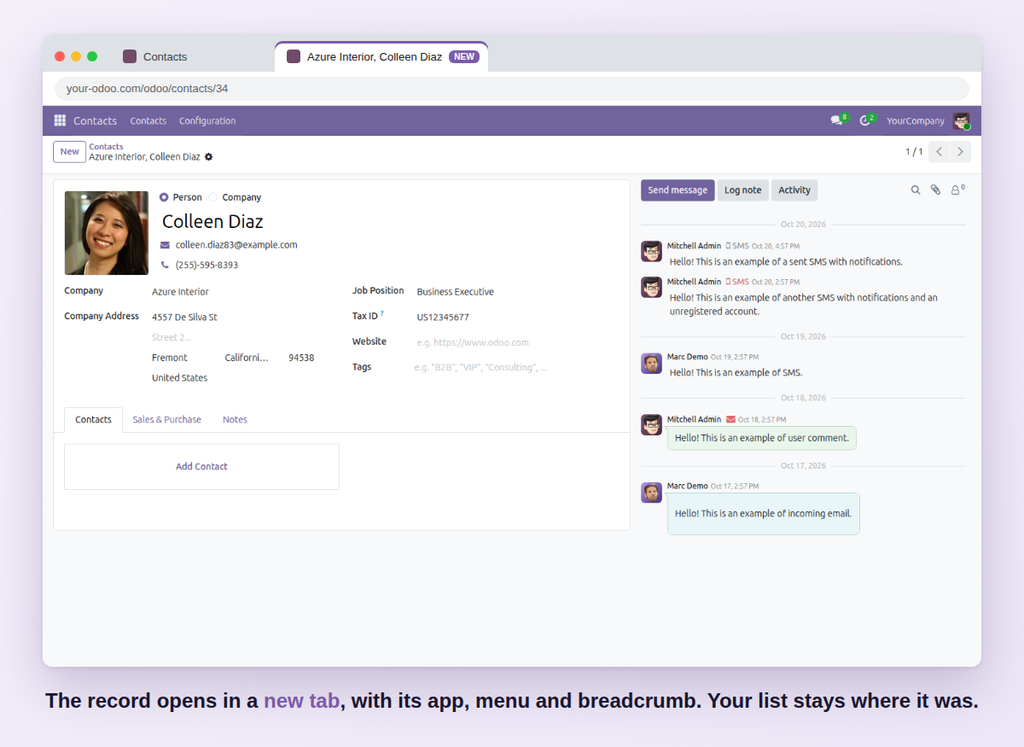
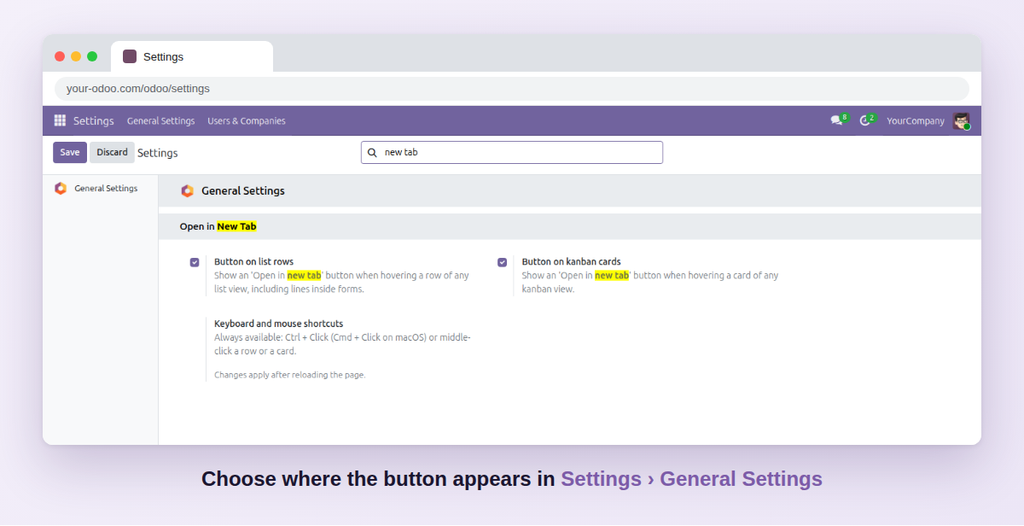
Open Record in New Tab shows a small New tab button when you hover a list row or kanban card. It is a real link: click it, middle-click it, or right-click it to copy the record's address and share it.
| Standard Odoo | With Open Record in New Tab |
|---|---|
| A hidden shortcut only power users know. | A visible New tab button on every row and card. |
| Awkward on a laptop trackpad with no middle button. | One click, no keyboard needed. |
| No way to right-click a row and copy its link. | Right-click › Copy link address to share a record. |
| Users keep going back and forth through breadcrumbs. | Odoo's own shortcuts keep working too. |
Click Try the live demo, log in with demo / demo, then open Contacts or Sales, hover a row and click New tab; then switch to kanban and use the ↗ icon on a card.
Side-by-side master-detail layout for any list, kanban or pivot view. One toolbar toggle, no per-model config.

Build KPI dashboards with 26 chart types, cross-filtering, alerts and an AI assistant — no code, on any Odoo data.

Send chatter messages, notes and files on any record that only the people you choose can see.