
Web Master-Detail View
Side-by-side master-detail layout for any list, kanban or pivot view. One toolbar toggle, no per-model config.

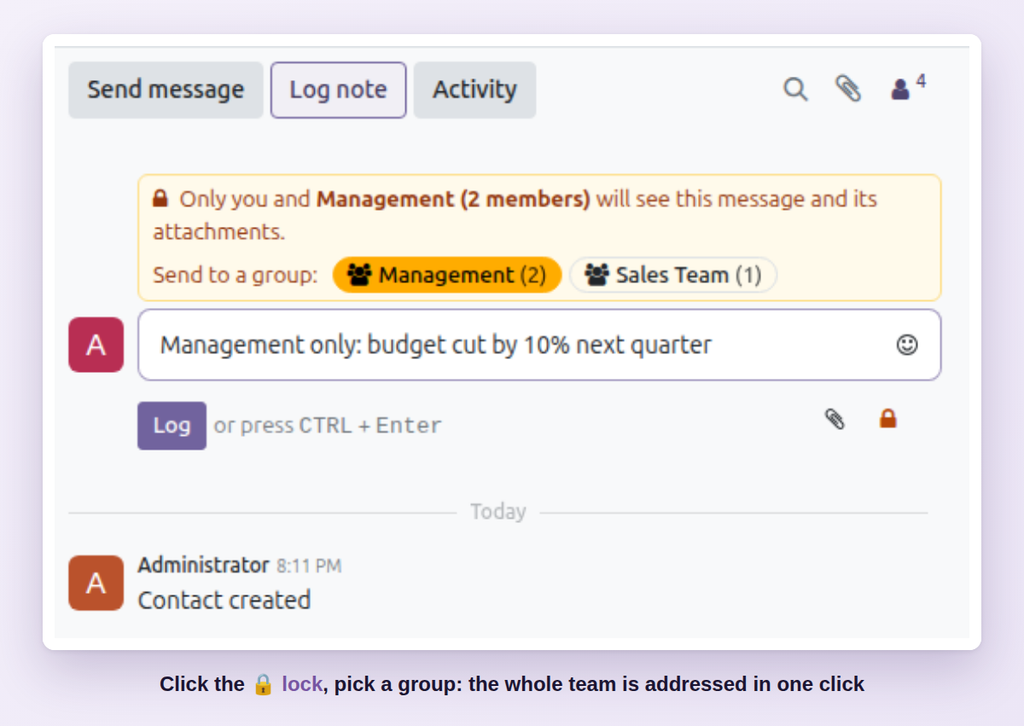
Send private chatter messages to a whole team (Management, Finance, HR...) in one click: only the group members see them.
Some discussions belong to a team, not to everyone who follows a document: margins for management, payment issues for finance, salary questions for HR. In standard Odoo every follower sees every message, and @mentioning each person every time is slow and easy to get wrong.
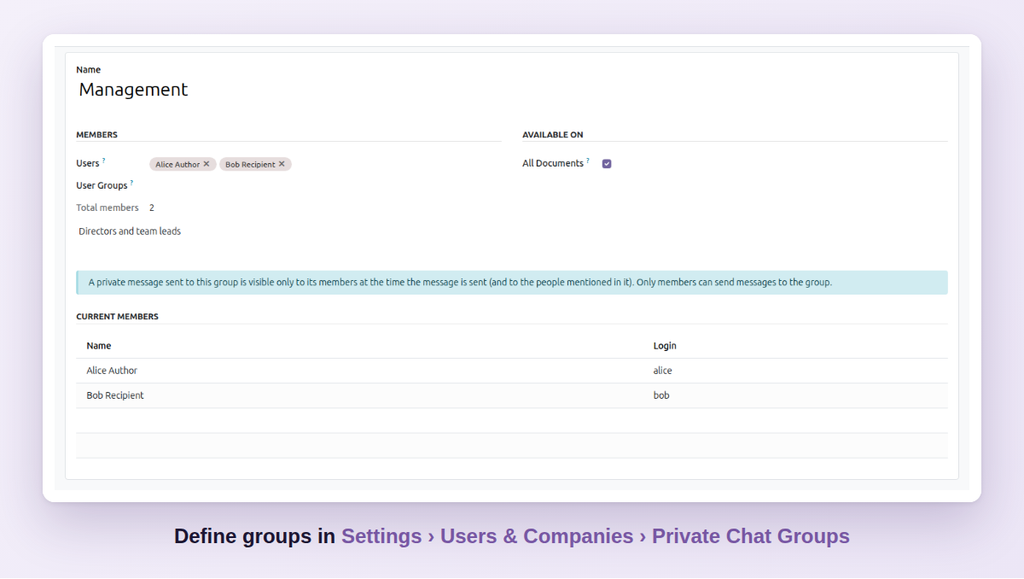
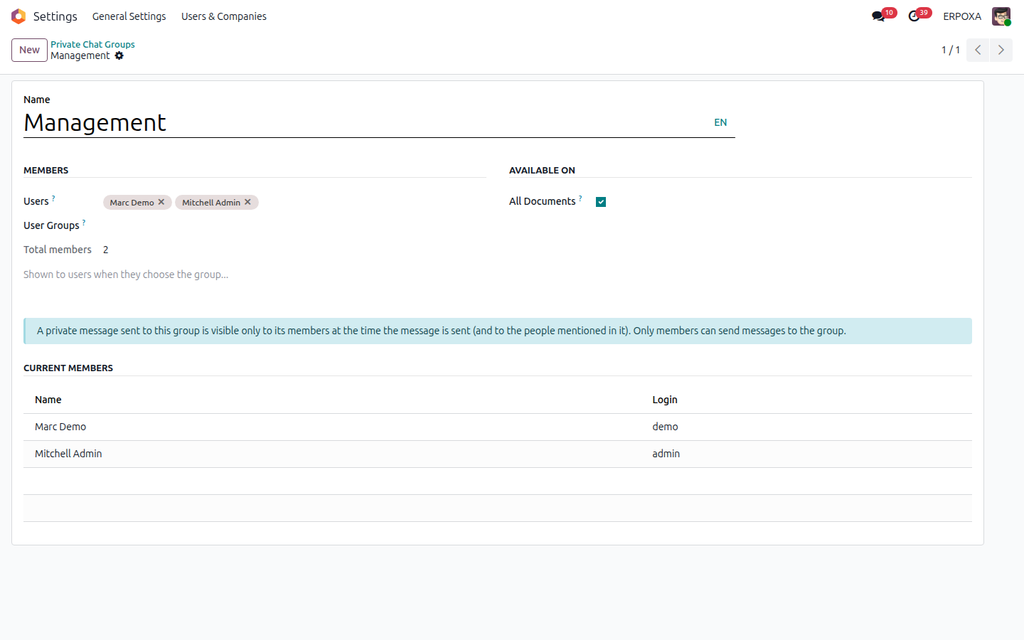
Private Chat Groups lets you define teams once. In any chatter, switch on the private lock, click the team, and send: only its members see the message and its files — nobody else knows it exists.
| Standard Odoo | With Private Chat Groups |
|---|---|
| Every follower sees every message. | Define your teams once. |
| No way to address a team privately. | Address a team in one click from any chatter. |
| Team discussions move to email and chat apps outside Odoo. | Only the team sees the message and its files. |
| Mentioning each person every time, and forgetting someone. | Combine a team with extra @mentions in the same message. |
Click Try the live demo, log in with demo / demo, then open a sales order, click Log note, switch on the lock and click a group chip such as Management.

Side-by-side master-detail layout for any list, kanban or pivot view. One toolbar toggle, no per-model config.

Build KPI dashboards with 26 chart types, cross-filtering, alerts and an AI assistant — no code, on any Odoo data.

A one-click 'New tab' button on every list row and kanban card — a real link you can middle-click, right-click or copy.