
AI eCommerce — Base
Foundation for the AI eCommerce suite. Single OpenAI key, reusable LLM client, full request log.
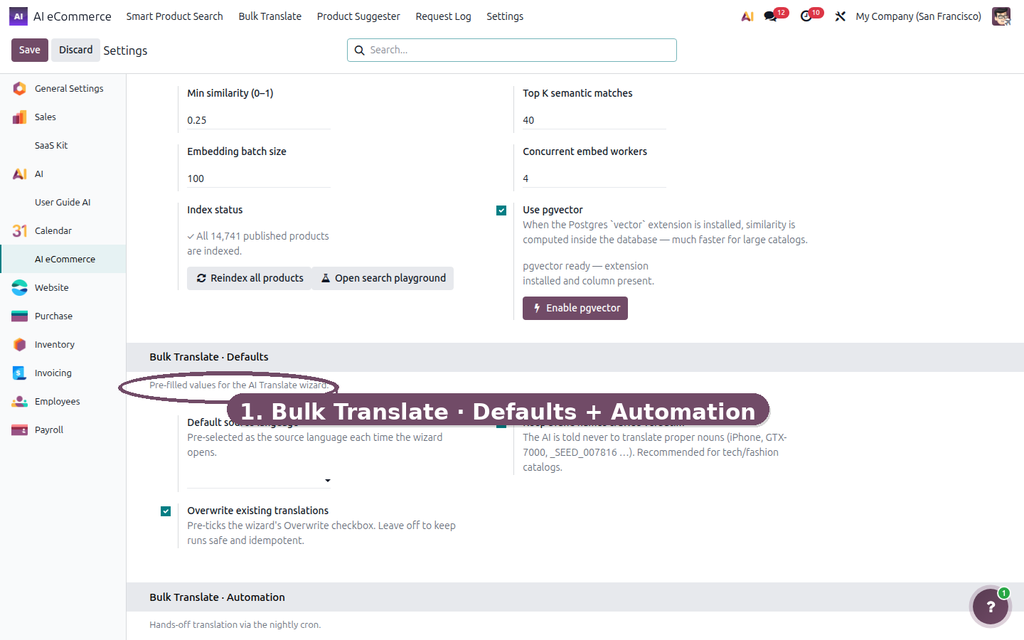
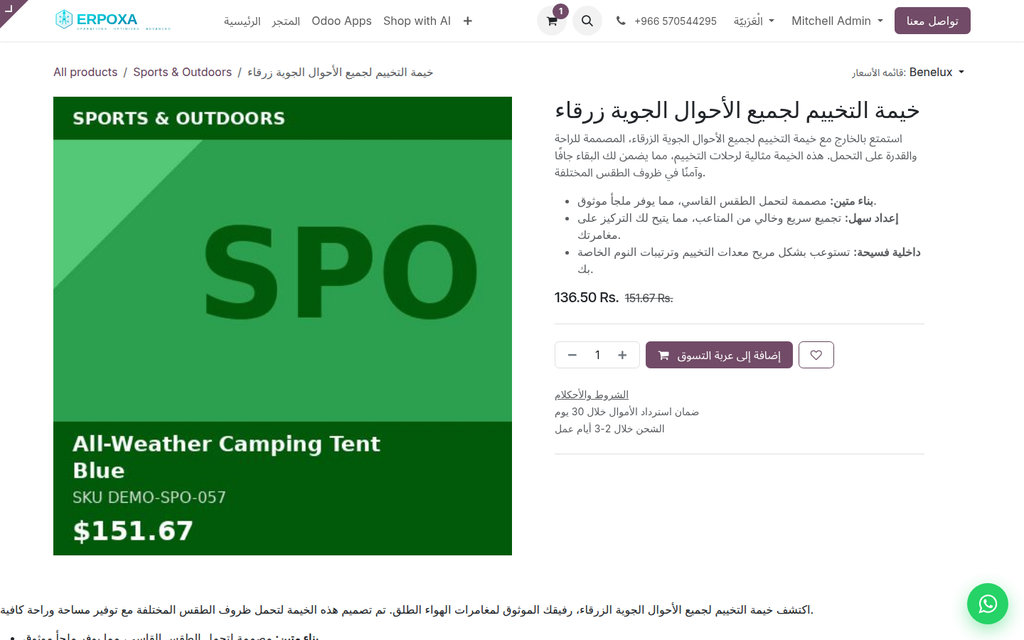
Translate product names, descriptions and SEO into every active language with one click.
A multilingual Odoo shop with hundreds of products has a translation problem: names and descriptions stay in the source language, and every untranslated page loses sales. Translating product by product is impossible to keep up with.
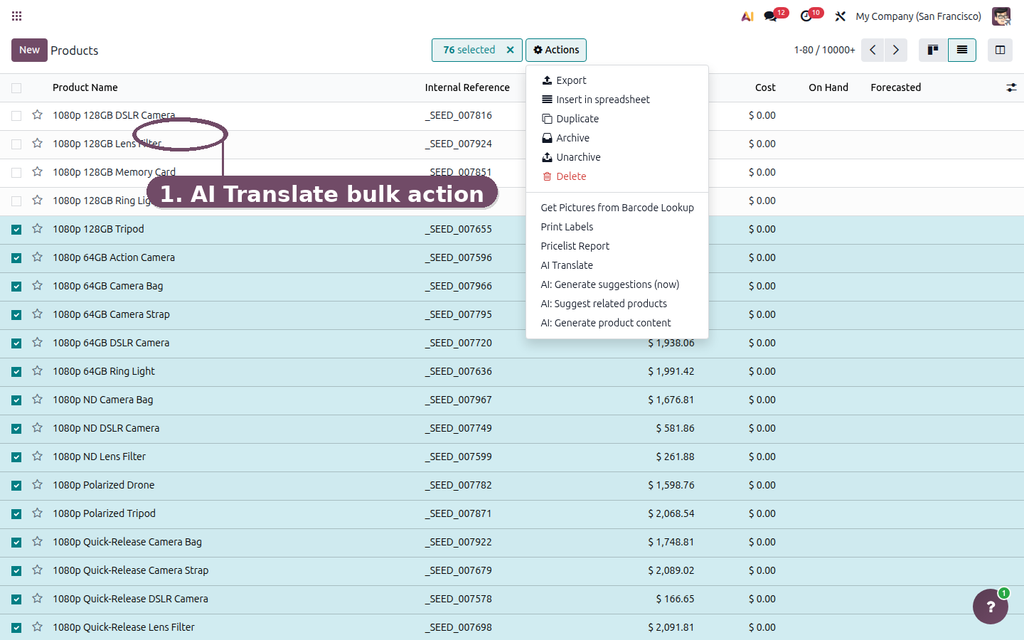
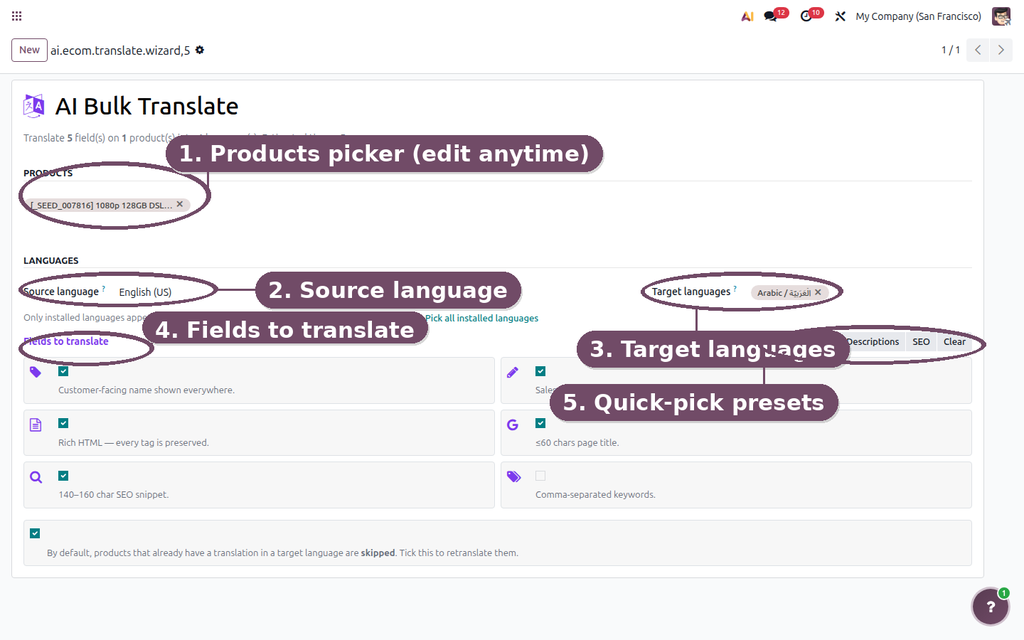
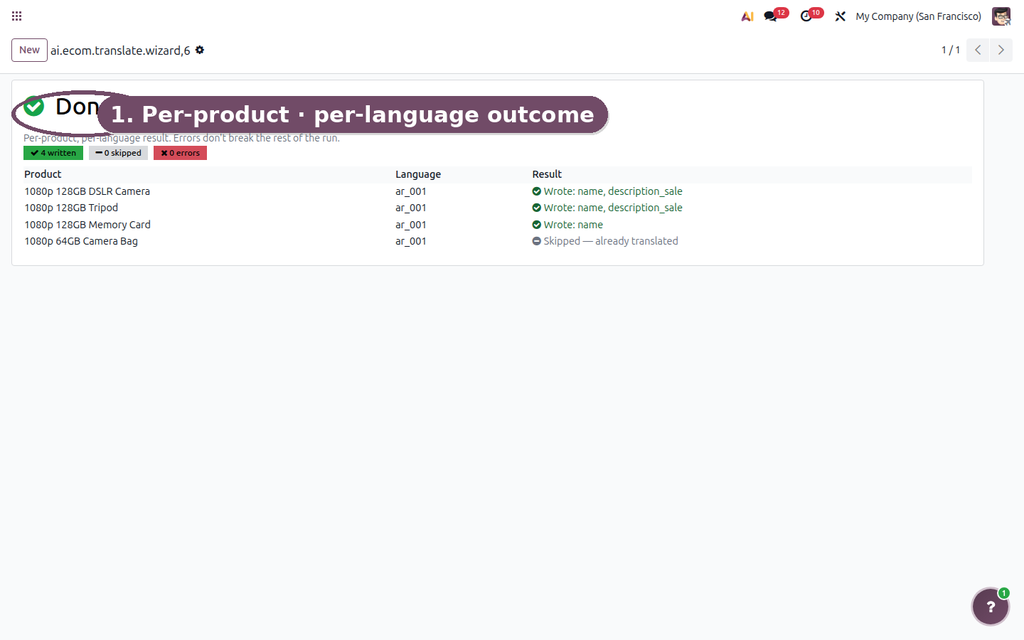
AI Product Translation translates product names, descriptions and SEO text into every language of your website in one bulk action — keeping HTML formatting, brand names and SKUs intact. Already-translated products are skipped, and an optional nightly job handles new ones.
| Translating a catalog today | With AI Product Translation |
|---|---|
| Names and descriptions stay in one language. | Every language of the website in one bulk run. |
| Translating product by product takes weeks. | Names, descriptions and SEO fields together. |
| Agencies and copy-paste break HTML formatting. | HTML, brand names and SKUs preserved. |
| New products are forgotten in the other languages. | Optional nightly run for newly edited products. |
Click Try the live demo, log in with demo / demo, then open a product and click the AI Translate button, or select several products in the list and use Actions → AI Translate.

Foundation for the AI eCommerce suite. Single OpenAI key, reusable LLM client, full request log.
Generate product descriptions, SEO metadata and image alt text with AI — in any language and any brand tone.

Auto-suggest Optional, Accessory and Alternative products using a hybrid of co-purchase mining, semantic embeddings and LLM inference.